 Dooho Yi
d8b0e204ec
Dooho Yi
d8b0e204ec
+ ‘themes/yoshi/README.md’
+ ‘themes/yoshi/screenshot.png’
+ ‘themes/yoshi/static/css/main.css’
+ ‘themes/yoshi/static/css/pygment.css’
+ ‘themes/yoshi/static/css/tachyons.min.css’
+ ‘themes/yoshi/static/js/jquery-3.5.0.min.js’
+ ‘themes/yoshi/templates/analytics.html’
+ ‘themes/yoshi/templates/archives.html’
+ ‘themes/yoshi/templates/article.html’
+ ‘themes/yoshi/templates/author.html’
+ ‘themes/yoshi/templates/authors.html’
+ ‘themes/yoshi/templates/base.html’
+ ‘themes/yoshi/templates/categories.html’
+ ‘themes/yoshi/templates/category.html’
+ ‘themes/yoshi/templates/comments.html’
+ ‘themes/yoshi/templates/disqus_script.html’
+ ‘themes/yoshi/templates/github.html’
+ ‘themes/yoshi/templates/index.html’
+ ‘themes/yoshi/templates/page.html’
+ ‘themes/yoshi/templates/pagination.html’
+ ‘themes/yoshi/templates/piwik.html’
+ ‘themes/yoshi/templates/tag.html’
+ ‘themes/yoshi/templates/taglist.html’
+ ‘themes/yoshi/templates/tags.html’
+ ‘themes/yoshi/templates/translations.html’
+ ‘themes/yoshi/templates/twitter.html’
530 B
530 B
Monospace
Theme adapted from Monospace for Wordpress Here is a screenshot for your viewing pleasure:
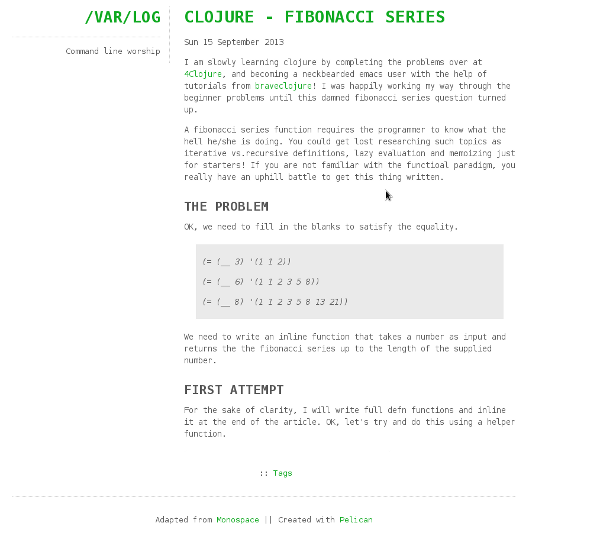
If you are using Markdown, you need to include the following option in your settings file to enable syntax highlighting.
MD_EXTENSIONS = ['codehilite(css_class=codehilite code)']
Also, you might want to include the DESCRIPTION option (it appears in the left sidebar):
DESCRIPTION = 'My blog and stuff ...'
Nice and simple, Enjoy!